
ABOUT US
EdTechs is an educational technology company that acts as a curriculum management facilitator. We partner with different educational institutions to help them develop low cost assessment and homework systems in an online format which improves student understanding, performance, retention, and success. We are also a technology solutions company where we support educational institutions by developing custom needed features for their learning management systems.
WORD TO CANVAS IMPORTER (WCI)
WCI is a tool developed to convert word exams and quizzes (multiple choice and/or true and false question types) to Canvas formatted questions.
HOW TO IMPORT
All you need is to follow the following three simple steps:
Prepare:You need to prepare your word file to be formatted as in the following example for multiple choice or true and false questions. Please make sure to have the word “ANSWER” as capitalized, a space after the colon.
The first scientist to introduce the concept of inertia was A) Aristotle. B) Galileo. C) Newton. D) Copernicus. ANSWER: C
The cash budget is usually prepared after the budgeted income statement. A) True. B) False. ANSWER: B
Login: Once you have your word file formatted, login to http://import.edtechs.academy/accounts/login. In the quiz name: please name your quiz, and in quiz description, give a description to your quiz.
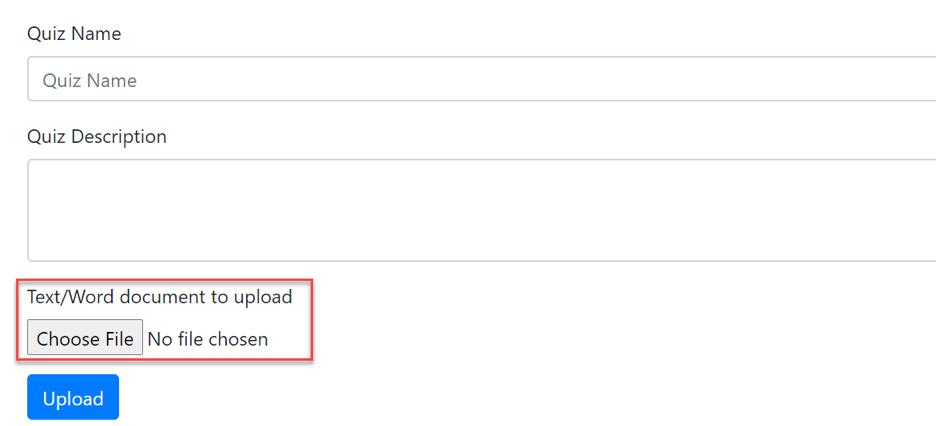
Upload: click on choose file to select your formatted word/text file then click upload
Import to Canvas:A new file is downloaded automatically on your machine in a zip format. Go to setting on your Canvas course
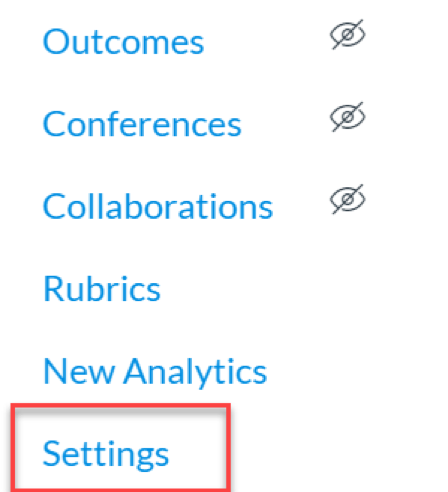
Go to import course content
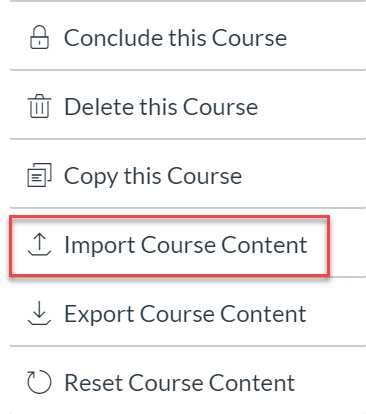
In the import content, select QTI.zip file
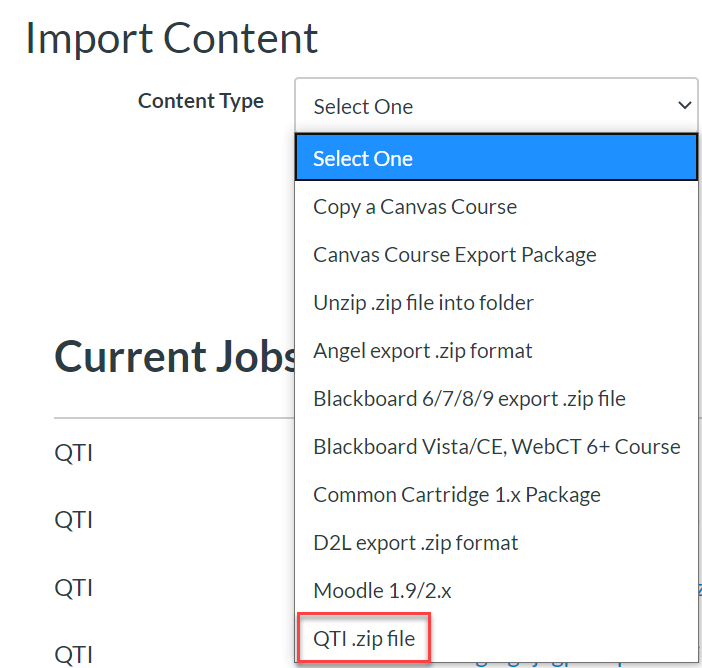
In the import content, choose the zip file which was downloaded on your machine
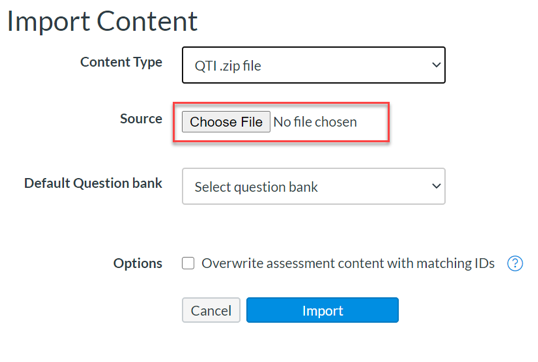
Make sure you check on Overwrite assessment content with matching IDs
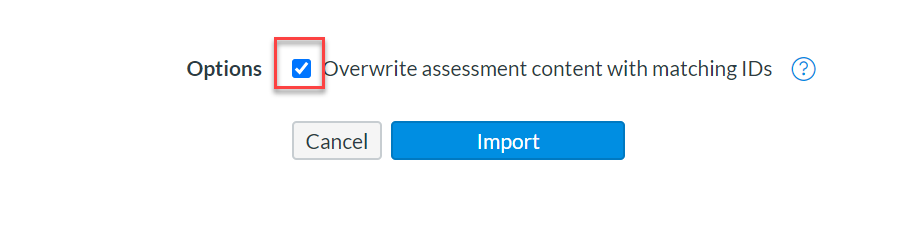
and then click on import.
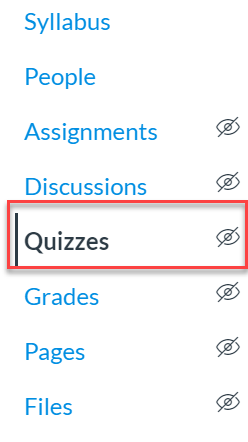
On the top right corner click on the three vertical dots and select Manage Question Banks
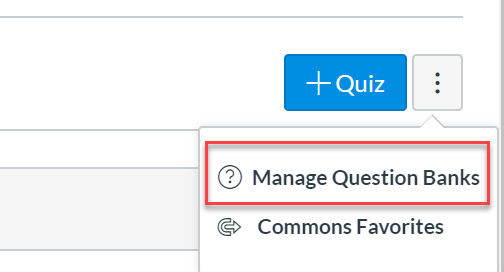
In the question bank, you will see your uploaded quiz.
PRICING
We offer FREE trial. If you are interested to try WCI, please email us on contact@edtechs.academy.
Campus licenses are renewed annually on August 1. Annual fees are based on total students FTE as described in the below table.
| Student FTE Enrollment | Annual Fee |
|---|---|
| Under 2,500 students | $1000 |
| 2,501 to 10,000 students | $1500 |
| 10,001 to 20,000 students | $2000 |
| 20,001 to 30,000 students | $2200 |
| 30,001 to 40,000 students | $2500 |
| Over 40,000 students | Ask for pricing |
SUPPORT
If you have any question or If you encounter problems while you do the import process, please email us your word file along with a description of your problem on contact@edtechs.academy. We normally reply back within 24 hours.